


TurnzSidechain ducking delay effect · echoes that step back while you sing
The only ducking delay you'll ever need for echoes that never crowd your vocal.
Big, generous echoes pulled out of the way under every phrase, blooming back in the gaps, in time with your song. Key the duck from your own track or from any other, a kick or a lead, through the sidechain input. Zero latency, and your dry vocal is never touched.
- Use it on 5 computers per copy
- Lifetime updates
- 90-day money-back guarantee
- Download link in minutes
- VST3, AU and AAX, Windows and macOS
Formats and DAWs
Windows 10 and 11 (64-bit): VST3 and AAX
macOS 11 or later: VST3, AU and AAX
Works in any 64-bit DAW that loads VST3, AU or AAX plug-ins.
Licence
Use it on up to five of your own computers per copy you buy. Yours for good, no subscription. Unlock it with your email and a six-digit code, no dongle and no password. It checks in now and then and works offline in between.
Delivery
Download links by email within about five minutes, and always in your account under Downloads.
Hear the difference
The same dry sound, without and with Turnz.
The echo steps back while you sing
A dry pop lead vocal · Init (1/4 echoes, DUCK 6 dB, BLOOM 1/4)
Echoes only at the phrase ends
A dry female lead vocal verse · Vocal / Phrase Ends (DUCK 12 dB, BLOOM 1/2)
Echoes pumping with the kick
A disco-house song starter, its echoes keyed by a kick on another track · Sidechain / Kick Pump
Dotted-eighth echoes that duck out of the way
A dry male dance-pop verse · Vocal / Dance Duck (1/8 dotted, DUCK 8 dB)
A guitar line the echo follows
A dry electric guitar picking line · Guitar / Solo Duck (380 ms, DUCK 9 dB)
Every clip is level-matched, so the difference you hear is tone, not volume.
Turnz in action
Why Turnz
Clear words, full gaps
The echoes are pulled down under every phrase and swell back up when the singer stops, so the vocal stays readable and the delay still fills the spaces. No compressor and no aux routing to set up.
Keyed by any track
Duck under the track Turnz is on, or route a kick, a lead or the harmonies into its sidechain input: echoes that pump with the kick, or a guitar delay that steps back while the singer sings.
Back in time
BLOOM sets how fast the echoes return, as a note value at your song's tempo, from a sixteenth to a whole bar. The duck follows the song, not a fixed release.

Time. Duck.
Two big knobs do the work: how far apart the echoes are, and how far they step back while you sing.
- VST3 · AU · AAX
- Windows and macOS
- 0 ms latency
- 12 presets
The sidechain ducking delay effect
- Clear words, full gaps. 6 dB of duck by default, up to 24 dB.
- Keyed by any track. Your own, or a kick, a lead or the harmonies through the sidechain input.
- Back in time. BLOOM from a sixteenth to a whole bar at your song's tempo.
- Your dry untouched. Zero latency; only the echoes are ducked, filtered and limited.
- TIME (1/32 triplet to 1/1 at the host tempo, or 20 ms to 2 s with SYNC off) and DUCK (0 to 24 dB).
- FEEDBACK (0 to 95 %), BLOOM (1/16 to 1 bar, or 50 ms to 2 s) and KEY (SELF or SIDECHAIN).
- MIX, IN and OUT with meters, and ENGAGE.
- 12 factory presets and your own preset files; A/B, undo and redo, MIDI Learn on every control; a window from 75 to 200 %; the full manual.

DUCK
Out of the way under every phrase.
While you sing, the echoes step back and the petals fold; in the gaps they bloom back up to full level.
What Turnz does
Every control has one job: a delay that steps back for the vocal, faster.
DUCK
Echoes that step back
0 to 24 dB. At the default 6 dB the echoes sit about 10 dB under a sung phrase instead of 4 to 5 dB, so the words stay clear, and they come back to full level in the gaps. 3 dB is a light glue; 12 dB leaves them mostly at the ends of the lines.
TIME
Locked to your song
A note value at the host tempo, from a 1/32 triplet to a whole note, straight, dotted or triplet; or switch SYNC off for 20 ms to 2 s. The line under the knob reads the time in milliseconds.
BLOOM
Back in time
How fast the echoes swell back once the key stops: 1/16 to 1 bar at your song's tempo, or 50 ms to 2 s. One beat by default, so the echoes return in the next gap.
KEY
Your track or any other
SELF ducks under the track Turnz is on. SIDECHAIN ducks under whatever you route into its sidechain input: a kick for pumping echoes, a lead vocal, the harmonies.
The caption
Always says what keys the duck
KEYED BY SELF or KEYED BY SIDECHAIN, or, when nothing is routed, NO SIDECHAIN INPUT or SIDECHAIN SILENT with a line that says what happens next.
FEEDBACK
From one echo to a long trail
0 to 95 %, each repeat that share of the last. The line under the knob counts the repeats: 8 REPEATS at the default 40 %. A limiter inside the loop keeps every setting safe.
Clean repeats
Out of the way of the mix
Every repeat passes a high-pass at 200 Hz and a low-pass at 6 kHz, so a long trail never muddies the low end or fights the air of the dry.
Same duck at any level
Quiet key or loud
The key is brought to one level before it is read, and high-passed at 100 Hz, so DUCK means the same on a whisper and a belt, and a bass under the vocal does not hold the duck down.
MIX
Insert or send
A balanced blend: up to 50 % your dry stays whole and the echoes come in under it. 30 % on an insert, 100 % on an aux send.
IN and OUT
Gain where you need it
Input and output gain, -24 to +24 dB, with level meters on both.
12 sourced presets
Start from settings that work
A dotted-eighth dance-pop duck, echoes only on the phrase ends, a subtle glue, swells after each line, kick-pumped echoes, a harmony-keyed delay and a guitar solo duck, every one within 1 LU of the dry signal.
Zero latency
Track and perform through it
Nothing looks ahead and nothing is delayed but the echoes, so you can sing or play through it live.
A face that moves
Watch the duck happen
A lotus of amber light: the petals fold and dim as deep as the echoes are ducked, and open again as they bloom back. It rests when you bypass.
Inside the plugin
The Turnz window: two big knobs, the key, and a flower that shows the duck.
Every feature
Everything in Turnz, down to the smallest switch.
36 features
The echo
-
DUCK
0 to 24 dB: the echoes step back while the key sounds
-
KEY
SELF, or SIDECHAIN from any track you route in
-
BLOOM
1/16 to 1 bar at the host tempo, or 50 ms to 2 s
-
TIME
1/32 triplet to 1/1 at the host tempo, or 20 ms to 2 s
-
FEEDBACK
0 to 95 %, with the repeats counted under the knob
-
Clean repeats
High-pass 200 Hz and low-pass 6 kHz on every repeat
-
Same duck at any level
The key is levelled and high-passed at 100 Hz first
-
Key caption
Always says what is keying the duck
Mix and output
-
MIX
Balanced blend: the dry stays whole up to 50 %
-
Clean dry
The dry signal is never filtered, delayed or limited
-
Level-matched
Every preset within 1 LU of the dry signal
Workflow and control
-
A/B compare and A>B
Two complete settings, switch in one click
-
Undo and redo
Step back and forward, or press Ctrl+Z
-
MIDI Learn
Take complete control of your workflow: right-click any control, move a knob
-
Host automation
Automate every control from your DAW
-
ENGAGE
Click-free bypass, to hear the before and after
-
IN and OUT meters
See the level going in and coming out at a glance
-
Tooltips
Every control explains itself as you point at it
-
Resizable window
75 to 200 %, and the size you pick is remembered
Presets
-
12 factory presets
Starting points built from real settings producers use
-
Previous and next arrows
Audition presets one click at a time
-
Save your own
Keep your settings as .sidechainduckingdelaypreset preset files
-
Open presets folder
Back up or share your presets in one click
-
Reset to default
Back to a clean start in one step
Performance
-
Zero latency
Track and perform through it live
-
Light on CPU
About 2.6 to 3.5 % of one core
-
Mono or stereo
On a vocal, a guitar, a synth, a bus or a send
-
Audio-reactive face
The petals fold and bloom with the duck
Licence and compatibility
-
VST3 and AAX, Windows 7 SP1 or later
Loads in any 64-bit Windows DAW with VST3 or AAX
-
VST3, AU and AAX, macOS 10.13 or later
Loads in any Mac DAW with VST3, AU or AAX, Intel or ARM
-
5 computers per copy
Studio, laptop and more on one licence
-
Email and code unlock
No dongle, no password, no extra app
-
Works offline
No internet needed between check-ins
-
Check for updates
From the plugin's menu; nothing installs without asking
-
Lifetime updates
Every future update included
-
Platinum priority support
Questions answered by the people who build it
How Turnz compares
A ducking delay with the controls most leave out.
| Turnz | Typical ducking delay plugins | |
|---|---|---|
| The key | Your own track, or any track through the sidechain input | Often the plugin's own input only |
| The release | BLOOM, synced to your song: 1/16 to 1 bar | A fixed release, or milliseconds only |
| Duck depth | Means the same on a quiet key and a loud one | Changes with the key's level |
| Bass in the key | High-passed at 100 Hz, so it never holds the duck | Can hold the echoes down |
| Seeing the duck | The flower folds as deep as the echoes are ducked | Often a small meter, or nothing |
| Latency | 0 ms | Often some |
| Try-and-compare | A/B, A>B, undo and redo | Often missing |
| Hardware control | MIDI Learn on every control | Often host automation only |
| Licence | 5 computers per copy, no dongle, works offline | Often fewer activations, or a dongle |
| Updates | Lifetime updates included | Often paid upgrades |
"Typical" describes what we commonly see in this category; it does not describe any particular product. Turnz facts are from the plugin and its manual, October 2026.
What you get
Vox Samples
90-day money back · Thank you
Specs and system requirements
- Formats
- VST3 and AAX on Windows; VST3, AU and AAX on macOS
- Operating system
- Windows 7 SP1 or later, 64-bit; macOS 10.13 or later, universal (Intel and ARM)
- Host
- Any 64-bit DAW that loads VST3, AU or AAX plug-ins
- Channels
- Mono or stereo; a mono or stereo sidechain input
- Sample rates
- Whatever your session runs at
- Latency
- 0 samples
- Time
- 1/32 triplet to 1/1 at the host tempo (straight, dotted, triplet), or 20 ms to 2 s free
- Duck
- 0 to 24 dB, reaching 90 % within 5 ms of the key
- Bloom
- 1/16 to 1 bar at the host tempo (straight, dotted), or 50 ms to 2 s free
- Key
- SELF (this track) or SIDECHAIN (the sidechain input), high-passed at 100 Hz and levelled
- Feedback
- 0 to 95 %; every repeat high-passed at 200 Hz and low-passed at 6 kHz
- Presets
- 12 factory presets; your own as .sidechainduckingdelaypreset files
- Tail
- Reported to your DAW: 4.3 s at the default settings, up to 30 s
- Window
- 960 x 600 at 100 %, resizable from 75 to 200 %
- MIDI
- MIDI Learn from any controller routed to the track
- Licence
- 5 computers per copy you buy. Unlock with your email and a code we email you. Checks in now and then and works offline in between.
- Internet
- Needed once to unlock, then for the occasional check-in
90Day money-back guarantee
Our guarantee
-
90-day money-back guarantee
Not for you? Email contact@voxsamples.com within 90 days for a full refund.
-
5 computers per copy
Use it on up to five of your own computers per copy you buy, and move it yourself from the plugin's Licence menu.
-
Lifetime updates
Every future update and upgrade of Turnz, included.
-
Platinum priority support
A real person at contact@voxsamples.com, first in line.
Questions
What is a ducking delay?
A delay whose echoes are turned down while the source is playing and come back up when it stops. On a vocal the words stay clear and the echoes fill the gaps between phrases. Engineers build it with a compressor on the delay return keyed by the vocal; Turnz does it in one insert.
What is a sidechain delay?
The same idea, keyed by another track: a kick, a lead vocal or the harmonies routed into the delay's sidechain input. Switch KEY to SIDECHAIN and route the track in your DAW; the manual shows where the sidechain menus are.
Will the echoes vanish while I sing?
No. They are pulled out of the way under every phrase, by the DUCK amount, and bloom back up in the gaps. Turn DUCK up for a deeper step back, down for a lighter one.
What happens on SIDECHAIN with nothing routed?
The caption under the flower tells you. If your DAW offers no sidechain input, Turnz ducks under the track itself; if the input is there but silent, the echoes play unducked until the key track plays.
Can I use it live?
Yes. It adds no latency and looks nothing ahead, so you can sing or play through it in real time.
Does it work in my DAW?
Any 64-bit DAW that loads VST3, AU or AAX plug-ins, on Windows 7 SP1 or later or macOS 10.13 or later. There is no standalone app.
How many computers can I use it on?
Up to five of your own for each copy you buy. To move it, deactivate it in the plugin on the old computer and unlock it on the new one.
Does it need the internet?
Once, to unlock it with the code we email you. After that it checks in now and then and works offline in between.
Is there a manual?
Yes. The full manual explains every control, every preset and the menus, with tips. It opens from the help key (?) in the plugin's top bar, and lives at https://voxsamples.com/turnz-sidechain-ducking-delay-effect-manual.
What if it's not for me?
Request a refund from your account within 90 days.
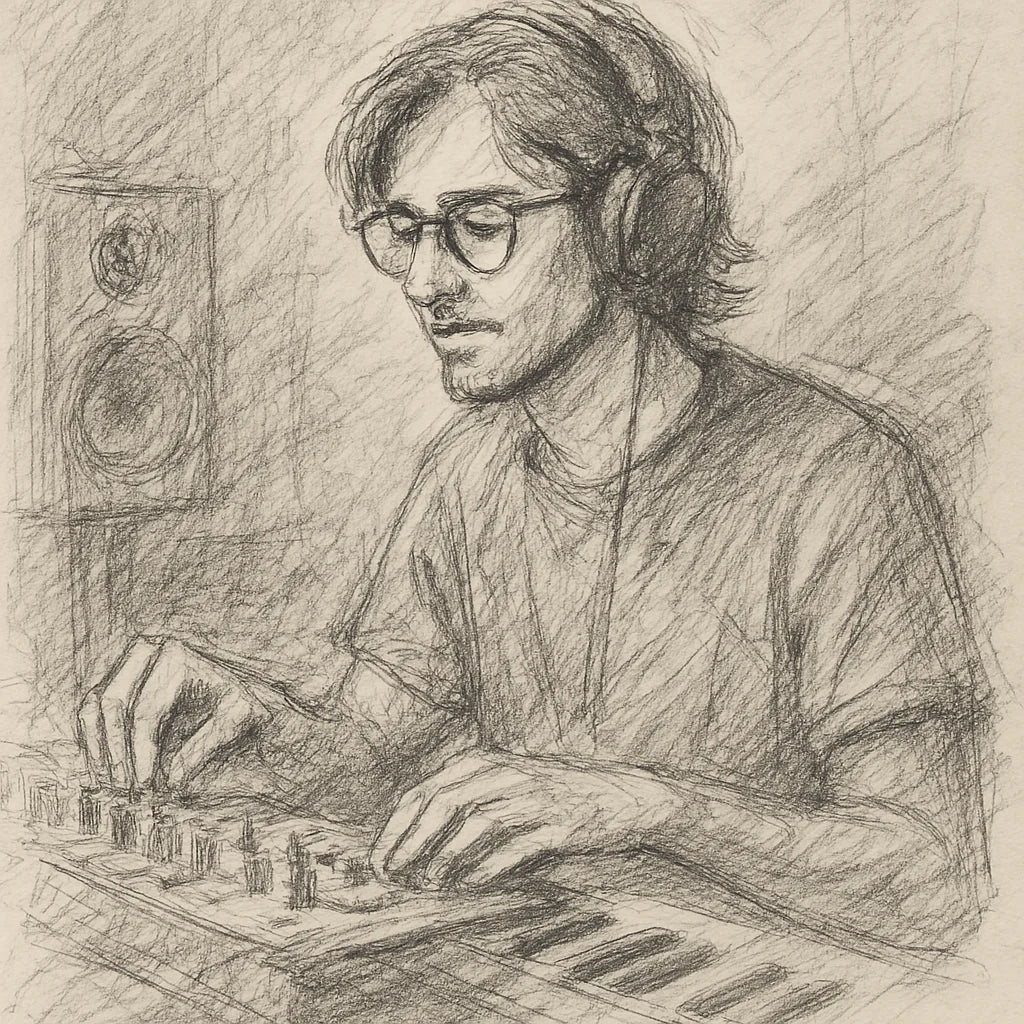
Founder's Story
"When COVID hit, I finally had time to dive into music production—only to discover I was missing the right tools. The plugins I tried were clunky, overloaded with unnecessary features, and killed my vibe with endless tweaking. I knew there had to be a better way.
So, with my engineering background, I started making free and simple audio plugins for my producer friends. They loved them! That’s when I set out on a mission to create plugins that save you time, streamline your workflow, and keep your creativity flowing."
- Ryan Svensson (Founder & CEO)
Clear words. Full gaps.
Echoes pulled out of the way under every phrase and blooming back in time, keyed by your track or any other, at zero latency.

$42.60 AUDPrecio habitual $142.03 AUD70% off
- 90-day money back
- Five computers
- Lifetime updates
Pairs with


Turnz Sidechain Ducking Delay Effect
$42.60 AUDPrecio habitual $142.03 AUD70% off