


ScorcherOverdrive plugin · warm, mid-forward grit from a light edge to a singing lead
The only overdrive plugin you'll ever need to turn up the grit, not the volume.
Warm, mid-forward overdrive from a light edge to a singing lead, with three voicings, a clean blend and a guitar speaker for DI tracks. The output stays at your dry track's loudness at every setting, DRIVE means the same on a quiet take and a hot one, and it adds no latency.
- Use it on 5 computers per copy
- Lifetime updates
- 90-day money-back guarantee
- Download link in minutes
- VST3, AU and AAX, Windows and macOS
- Try it free
Formats and DAWs
Windows 10 and 11 (64-bit): VST3 and AAX
macOS 11 or later: VST3, AU and AAX
Works in any 64-bit DAW that loads VST3, AU or AAX plug-ins.
Licence
Use it on up to five of your own computers per copy you buy. Yours for good, no subscription. Unlock it with your email and a six-digit code, no dongle and no password. It checks in now and then and works offline in between.
Delivery
Download links by email within about five minutes, and always in your account under Downloads.
Hear the difference
The same dry part, without and with Scorcher.
A low-gain crunch on a rock rhythm
A synthesised DI, power chords with muted chucks - Init (MID, DRIVE 40 %, TONE 50 %), no speaker
Ringing power chords that keep their low end
Synthesised DI power chords left to ring - Open / Chord Crunch (OPEN, DRIVE 55 %, BODY 70 %), no speaker
A singing lead on a bending solo line, straight from a DI
A synthesised DI lead with bends and vibrato - Cab / DI Lead (MID, DRIVE 80 %, BODY 70 %, CAB on)
The same rock rhythm, finished with the built-in speaker
The synthesised DI from the first clip - Cab / DI Crunch (MID, DRIVE 50 %, CAB on)
Tight palm-muted chugs, the lows cut before the drive
Synthesised DI chugs and gallops on a dropped low D - Cab / Stack Chug (BOOST, DRIVE 65 %, CAB on)
Bass overdrive: a growl that keeps the low end
A synthesised DI bass line, picked eighths - Blend / Bass Overdrive (OPEN, DRIVE 50 %, CLEAN 60 %)
Demo guitar and bass: a synthesised DI, computed rather than played. Clips 1, 2 and 6 have no speaker after the drive; 3 to 5 use CAB.
Scorcher in action
Scorcher in under a minute on a synthesised guitar: DRIVE, TONE, BODY, CLEAN, the voicings and two presets.
Why Scorcher
More grit, never more volume
Scorcher matches its output to your dry track at every setting, so turning DRIVE up changes the grit, not the level. Every A/B is a fair comparison, and the next plug-in in the chain is never slammed.
Three voicings in one overdrive
MID is the classic mid hump. OPEN keeps the lows under 200 Hz clean, so full chords and bass keep their weight. BOOST cuts the lows harder before the drive, to tighten a high-gain amp after it. One click apart, click-free.
Ready for a DI
CAB adds a guitar speaker after the drive, one for each voicing, so a DI sounds finished with no amp after it. CLEAN keeps the pick attack under the grit, and with zero latency you can play and record through it.

Drive. Tone.
Two big knobs do the work: how hard the overdrive is pushed, and how dark or bright it sounds. The line under each names what it is doing.
- VST3 · AU · AAX
- Windows and macOS
- Zero latency
- 16 presets
The overdrive plugin
- More grit, never more volume. Every preset sits within 1 LU of your dry track on average, so every A/B is fair.
- Three voicings. MID's classic mid hump, OPEN's breakup with the lows kept clean for chords and bass, and BOOST's tight push for a high-gain amp.
- Ready for a DI. CAB adds a guitar speaker for each voicing, and CLEAN keeps the pick attack under the grit.
- Zero latency. Play and record through it, at about 2 % of one core.
- DRIVE with its readout, TONE (800 Hz to 10 kHz), BODY and CLEAN.
- TYPE (MID, OPEN, BOOST) and CAB, a speaker for each voicing.
- MIX, Input and Output gain, IN and OUT meters, and ENGAGE.
- 16 factory presets and your own preset files; A/B, undo and redo, MIDI Learn on every control; a window from 75 to 200 %; the full manual.

MID · OPEN · BOOST
Three voicings. One overdrive.
MID's classic mid hump, OPEN's amp-like breakup with clean lows for chords and bass, and BOOST's tight push for a high-gain amp after it.
What Scorcher does
Every control has one job: the drive you hear in your head, at the level you started with.
DRIVE
More grit, never more volume
How hard the overdrive is pushed, 0 to 100 %: an almost clean boost at the left, a low-gain crunch at 40 % (the default) and a fully driven, singing tone at the right. The line under it reads CLEAN BOOST, LOW GAIN, CRUNCH, HOT or SATURATED. The output stays at your dry level, so DRIVE is the one to automate.
The same drive on every take
Quiet DI or hot, DRIVE means the same
Scorcher reads your track's loudness over the last 3 seconds and brings it to a set level before the drive, then gives the same gain back after it. The default's grit on a power chord measures the same at -10, -18, -26 and -34 dBFS in. Picking harder within a phrase still bites harder.
TONE
Dark to bright
The top end after the drive, from 800 Hz at the left to 10 kHz at the right; 50 % (2.8 kHz) gives the classic mid-hump overdrive. Turn it down for a rounder, darker sound or to tame a bright DI, up for more bite. The line under it prints the frequency.
BODY
Lean and edgy, or thick
Blends a rounder, thicker drive over the grit, 0 to 100 % (60 % by default): lean and edgy at 0, fuller and more sustaining as you turn it up. The line under it reads GRIT ONLY, LIGHT, ROUNDED or THICK.
CLEAN
Keep the pick attack
Blends your clean signal under the drive: 0 is all drive, 100 % half clean and half drive. It is taken after the voicing's low cut, so the two stay in phase and the blend never hollows out the low mids. Raise it to keep every note defined, on guitar or bass.
MID
The classic mid hump
The default voicing: the lows under about 120 Hz trimmed before the drive, the midrange pushed and the clipping soft. The response peaks between 500 Hz and 1 kHz and falls away steeply above 4 kHz. Reach for it for blues leads, rhythm crunch and singing solos.
OPEN
Chords and bass keep their weight
An open, amp-like breakup. The signal is split at 200 Hz: the top goes into the drive and the low half is added back clean after it, so a full chord keeps its bottom while the rest breaks up. 63-125 Hz sits about 6 dB under 1-2 kHz, against about 15 dB on MID.
BOOST
Tighten a high-gain amp
The tight push players put in front of a high-gain amp: the lows under about 220 Hz cut harder before the drive and a lower range for DRIVE, so palm mutes stay defined. It is level-matched like the others, so turn OUT up to push the amp harder.
CAB
A DI that sounds finished
Puts a guitar speaker after the drive, for a track with no amp after Scorcher: it takes the fizz off the top, so a DI sounds finished straight into your DAW. Each voicing has its own speaker, level-matched to the sound without it. Leave it off when an amp follows.
MIX, IN and OUT
Fit it to the track
MIX blends the overdrive with your untouched track, level-matched and in phase, so the blend never thins out. IN and OUT set the gain either side, -24 to +24 dB, with meters; OUT is how you push an amp after it, and a safety limiter keeps the output under -1 dBFS.
16 sourced presets
Start from a sound that works
A light blues edge, rhythm crunch, a singing lead, chords breaking up with their bottom intact, a tight push for a high-gain amp, grit with the pick attack kept, a bass growl, finished DI sounds with the speaker on, and grit for keys and synths. Each is levelled to within 1 LU of your dry track on average.
A road that runs hot
See how hard it's driven
The low sun over the desert road flares with the output, and a heat haze rises over the far road, hotter as you turn DRIVE up and play harder. With ENGAGE off the sun rests and the air is still.
Inside the plugin
The Scorcher window: two big knobs, three voicings on the road and a sun that flares with your playing.
Every feature
Everything in Scorcher, down to the smallest switch.
39 features
The drive
-
DRIVE
From an almost clean boost to a singing lead, with a line that names the drive
-
TONE
Dark to bright, the top end from 800 Hz to 10 kHz
-
BODY
A rounder, thicker drive blended over the grit
-
CLEAN
Your clean signal under the drive, in phase, for the pick attack
-
The same drive on every take
Your track brought to a set level before the drive, quiet or hot
Voicings and speaker
-
MID
The classic mid hump, for blues leads, crunch and solos
-
OPEN
An amp-like breakup with the lows under 200 Hz kept clean
-
BOOST
The lows cut harder before the drive, to tighten a high-gain amp
-
Click-free switching
Change voicing while you play: a 30 ms crossfade
-
CAB
A guitar speaker per voicing, so a DI sounds finished
Level and mix
-
Level-matched output
Every preset within 1 LU of your dry track on average
-
Zero latency
Play and record through it, at every setting
-
MIX
The overdrive against your untouched track, in phase
-
Input and Output gain
-24 to +24 dB, with a safety limiter under -1 dBFS
Workflow and control
-
A/B compare and A>B
Two complete settings, switch in one click
-
Undo and redo
Step back and forward, or press Ctrl+Z
-
MIDI Learn
Take complete control of your workflow: right-click any control, move a knob
-
Host automation
Automate every control from your DAW
-
ENGAGE
Click-free bypass, to hear the before and after
-
IN and OUT meters
See the level going in and coming out at a glance
-
Tooltips
Every control explains itself as you point at it
-
Resizable window
75 to 200 %, and the size you pick is remembered
Presets
-
16 factory presets
Each one built from a documented setting
-
Previous and next arrows
Audition presets one click at a time
-
Save your own
Keep your settings as .overdrivepreset preset files
-
Open presets folder
Back up or share your presets in one click
-
Reset to default
Back to a clean start in one step
Performance
-
Mono or stereo
Mono to mono or stereo to stereo
-
Light on CPU
About 2 % of one core at 44.1 or 48 kHz, about 4 % with CAB on
-
Any session rate
The same sound at 32, 48 and 96 kHz in the tests
-
Audio-reactive face
A sun that flares with the output, a heat haze that grows with DRIVE
Licence and compatibility
-
VST3 and AAX, Windows 7 SP1 or later
Loads in any 64-bit Windows DAW with VST3 or AAX
-
VST3, AU and AAX, macOS 10.13 or later
Loads in any Mac DAW with VST3, AU or AAX, Intel or ARM
-
5 computers per copy
Studio, laptop and more on one licence
-
Email and code unlock
No dongle, no password, no extra app
-
Works offline
No internet needed between check-ins
-
Check for updates
From the plugin's menu; nothing installs without asking
-
Lifetime updates
Every future update included
-
Platinum priority support
Questions answered by the people who build it
How Scorcher compares
Grit without the volume jump, three voicings and a speaker for DI tracks, with no latency.
| Scorcher | Typical overdrive plugins | |
|---|---|---|
| Level | Matched to your dry track at every DRIVE | Often louder with every turn of the drive |
| Drive | The same drive on a quiet take and a hot one | Often depends on how hot you recorded |
| Voicings | Three: mid hump, open breakup, tight boost | Often one voicing |
| Clean blend | CLEAN under the drive, in phase | Often missing |
| DI tracks | A speaker per voicing built in (CAB) | Often thin and fizzy with no amp after it |
| Latency | Zero at every setting and preset | Often added latency |
| Try-and-compare | A/B, A>B, undo and redo | Often missing |
| Hardware control | MIDI Learn on every control | Often host automation only |
| Licence | 5 computers per copy, no dongle, works offline | Often fewer activations, or a dongle |
| Updates | Lifetime updates included | Often paid upgrades |
"Typical" describes what we commonly see in this category; it does not describe any particular product. Scorcher facts are from the plugin and its manual, October 2026.
What you get
Vox Samples
90-day money back · Thank you
Specs and system requirements
- Formats
- VST3 and AAX on Windows; VST3, AU and AAX on macOS
- Operating system
- Windows 7 SP1 or later, 64-bit; macOS 10.13 or later, universal (Intel and ARM)
- Host
- Any 64-bit DAW that loads VST3, AU or AAX plug-ins. No standalone app.
- Channels
- Mono to mono or stereo to stereo; each channel is processed on its own
- Sample rates
- Whatever your session runs at; tested at 32, 48 and 96 kHz, level-matched at each
- Latency
- 0 samples at every setting and every preset
- Tail
- 0.05 s, reported to your DAW
- Voicings
- Three: MID (the lows under about 120 Hz trimmed), OPEN (split at 200 Hz, the lows kept clean), BOOST (the lows under about 220 Hz cut)
- Speaker
- CAB: one built-in guitar speaker per voicing, level-matched, off by default
- Level
- Every factory preset's mean within 1 LU of the dry at -18 and -26 LUFS in (18 test guitar pieces), within 2 LU at -10 LUFS
- Output
- A safety limiter keeps the output under -1 dBFS
- CPU
- About 2 % of one core at 44.1 or 48 kHz with CAB off, about 4 % with CAB on (measured with other work running, so an upper bound); the open window adds about 1 %
- Presets
- 16 factory presets; your own as .overdrivepreset files
- Manual
- https://voxsamples.com/scorcher-overdrive-manual
- Window
- 960 x 600 at 100 %, resizable from 75 to 200 %
- MIDI
- MIDI Learn from any controller routed to the track
- Licence
- 5 computers per copy you buy. Unlock with your email and a code we email you. Checks in now and then and works offline in between.
- Internet
- Needed once to unlock, then for the occasional check-in
90Day money-back guarantee
Our guarantee
-
90-day money-back guarantee
Not for you? Email contact@voxsamples.com within 90 days for a full refund.
-
5 computers per copy
Use it on up to five of your own computers per copy you buy, and move it yourself from the plugin's Licence menu.
-
Lifetime updates
Every future update and upgrade of Scorcher, included.
-
Platinum priority support
A real person at contact@voxsamples.com, first in line.

Try Scorcher free
The whole plugin, with the same sound as the full version and no time limit. It goes silent for a moment every few seconds; the full version never does.
Windows and macOS installers in one download. Like what you hear? Get the full version on this page, with a 90-day money-back guarantee.
Questions
Why doesn't it get louder when I turn DRIVE up?
Scorcher matches its output to your dry track, so DRIVE changes the grit only. Use OUT to set the level, or to push an amp after it.
Do I need an amp after it?
No. Switch CAB on, or pick a Cab preset, and Scorcher adds a guitar speaker, so a DI sounds finished straight into your DAW. With an amp or amp plug-in after it, leave CAB off.
Can I play through it while recording?
Yes. It adds no latency at any setting.
Does it work on bass?
Yes. OPEN keeps the lows under 200 Hz clean and CLEAN holds the fundamental under the growl; the Blend / Bass Overdrive preset is set up for it.
Can I use it on keys or synths?
Yes. Studio / Keys Grit is a starting point; OPEN with some CLEAN suits most sources that are not guitar.
What does BOOST do if it doesn't get louder?
It cuts the lows harder before the drive and drives less, so a high-gain amp after it tightens up. Turn OUT up to push the amp harder.
Does playing softer clean it up?
Within a phrase, yes. A whole section played softer is brought back up to the same drive, because Scorcher follows your track's loudness over about 3 seconds. For a cleaner section, lower DRIVE or automate it.
Does it work in my DAW?
Any 64-bit DAW that loads VST3, AU or AAX plug-ins, on Windows 7 SP1 or later or macOS 10.13 or later. There is no standalone app.
How many computers can I use it on?
Up to five of your own for each copy you buy. To move it, deactivate it in the plugin on the old computer and unlock it on the new one.
Does it need the internet?
Once, to unlock it with the code we email you. After that it checks in now and then and works offline in between.
Is there a manual?
Yes. The full manual explains every control, every preset and the menus, with tips. It opens from the help key (?) in the plugin's top bar, and lives at https://voxsamples.com/scorcher-overdrive-manual.
What if it's not for me?
Request a refund from your account within 90 days.
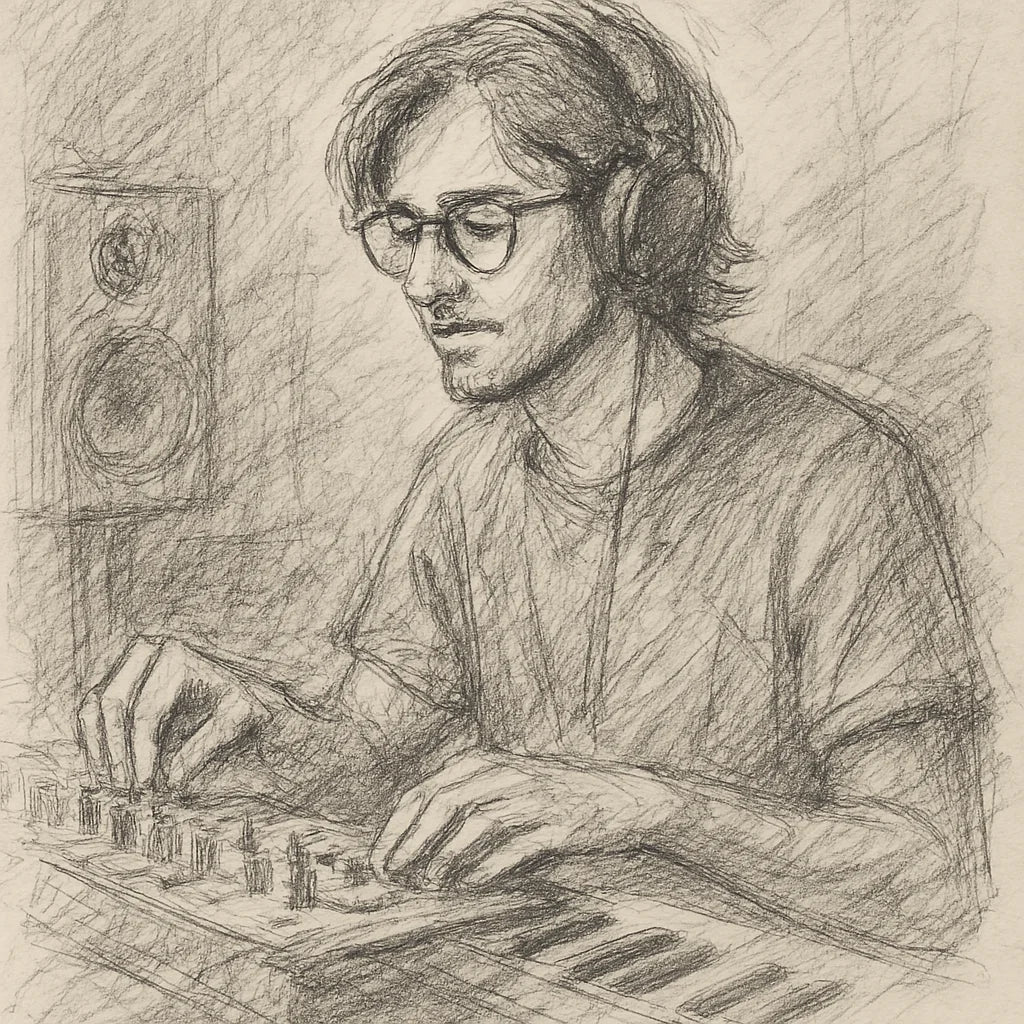
Founder's Story
"When COVID hit, I finally had time to dive into music production—only to discover I was missing the right tools. The plugins I tried were clunky, overloaded with unnecessary features, and killed my vibe with endless tweaking. I knew there had to be a better way.
So, with my engineering background, I started making free and simple audio plugins for my producer friends. They loved them! That’s when I set out on a mission to create plugins that save you time, streamline your workflow, and keep your creativity flowing."
- Ryan Svensson (Founder & CEO)
A light edge to a singing lead. Never louder.
Three voicings, a body control, a clean blend and a speaker for DI tracks, level-matched to your dry track at every setting, the same drive on any take, at zero latency.
$42.86 AUD常规价格 $142.89 AUD70% off
- 90-day money back
- Five computers
- Lifetime updates
Pairs with



Scorcher Overdrive
$42.86 AUD常规价格 $142.89 AUD70% off