


SnagglebitGlitch audio plugin · stutters, reverses, gates, tape stops and pitch drops, always on the beat
The only glitch plugin you'll ever need to make any track malfunction in time.
An audio glitch effect for your DAW: turn one knob and vocals, drums or a whole mix stutter, flip backwards, chop, brake and dive in pitch, landing at random but always on the grid, and the same in every render. Zero latency, every preset level-matched.
- Use it on 5 computers per copy
- Lifetime updates
- 90-day money-back guarantee
- Download link in minutes
- VST3, AU and AAX, Windows and macOS
- Try it free
Formats and DAWs
Windows 10 and 11 (64-bit): VST3 and AAX
macOS 11 or later: VST3, AU and AAX
Works in any 64-bit DAW that loads VST3, AU or AAX plug-ins.
Licence
Use it on up to five of your own computers per copy you buy. Yours for good, no subscription. Unlock it with your email and a six-digit code, no dongle and no password. It checks in now and then and works offline in between.
Delivery
Download links by email within about five minutes, and always in your account under Downloads.
Hear the difference
The same dry track, without and with Snagglebit.
Glitch vocals
A dry female lead vocal · Init
Pop stutter on a vocal
The same vocal · Stutter / Pop Stutter (1/32 rolls)
Glitched drum break
A 104 BPM drum groove · Grid / Sonic Artifacts (1/64 slices)
Glitch hop full mix
A 137 BPM full songstarter · Glitch / Glitch Hop Bus
Skipping disc on a mallet arp
A synth mallet arpeggio · Glitch / Skipping Disc (pitch drops and crush)
Every clip is level-matched, so the difference you hear is tone, not volume.
Why Snagglebit
Glitches in one knob
No hand edits, no slicing, no pattern to draw. Turn AMOUNT and the track glitches by itself; turn CHAOS and the glitches get wilder, from simple stutters to tape stops and pitch dives.
Random, but always in time
Every glitch lands on your DAW's grid at the SIZE you pick, locked to its tempo. It surprises you, but it never throws the groove.
The same on every render
The glitches are drawn from the song position and the SEED, so your bounce sounds exactly like what you heard. Don't like them? One click on SEED gives a new set.

Amount. Chaos.
Two big knobs do the work: how often it glitches, and how wild the glitches get. SIZE sets the grid they land on.
- VST3 · AU · AAX
- Windows and macOS
- 0 ms latency
- 14 presets
The glitch plugin for audio
- Six glitch types. Repeat rolls, reverses, gates, pitch drops, tape stops and pitch shifts.
- Always on the grid. Locked to your DAW's tempo at the SIZE you choose, 1/4 to 1/64.
- The same every render. The glitches follow the song position and the SEED; one click gives a new set.
- Vocal glitch effect, and more. On vocals, drums or a whole mix, with HOLD for a glitch on cue and zero latency.
- AMOUNT and CHAOS, the two big knobs; SIZE (1/4 to 1/64 with triplets) and CRUSH (grit on the glitched slices only).
- HOLD, a roll on demand, automatable and MIDI-learnable, and SEED (1 to 99).
- MIX, IN and OUT with meters, ENGAGE, and an output safety stage.
- 14 factory presets and your own preset files; A/B, undo and redo, MIDI Learn on every control; a window from 75 to 200 %; the full manual.

HOLD
A glitch, exactly where you want it.
Hold the key, automate it or map it to a pad: a roll of the current size starts on the next step and runs until you let go.
What Snagglebit does
Every control has one job: the exact glitch you hear in your head, on the beat.
AMOUNT
From the odd accent to constant chaos
How often a glitch fires and how long one may last. The default 30 % glitches about every bar or two; 100 % about twice a bar, each up to a whole bar long. At 0 the track passes through untouched.
CHAOS
From tidy stutters to wild damage
Which glitches may happen. Low, only repeats; then reverses come in, then gates, pitch drops, tape stops and pitch shifts. Higher still, the slice sizes vary from glitch to glitch and the pitch drops fall further.
Six glitch types
Every classic glitch in one insert
REPEAT rolls, REVERSE flips, GATE chops on and off, PITCH DROP repeats lower each time like a skipping CD, TAPE STOP brakes the tape to a halt, and SHIFT jumps up or down an octave, a fifth or a fourth.
SIZE
From rhythmic loops to buzzing artefacts
The slice grid every glitch starts on: 1/4, 1/8, 1/16, 1/32 or 1/64, with the triplets. Large sizes loop phrases, small ones buzz and stutter.
Always on the grid
It never throws the groove
Every glitch starts on the exact sample of its grid line, locked to your DAW's tempo and song position. With the transport stopped it keeps glitching on its own clock.
Rolls, not doubles
The real stutter sound
A repeat is lengthened to a roll of at least four passes wherever the bar has room, so a stutter sounds like a stutter, not a single echo.
CRUSH
Digital grit on the glitches only
Fewer bits, a lower rate and a narrowing band on the glitched slices, while the dry track between glitches stays exactly as it was.
HOLD
Glitch on cue
Press and hold for a roll of the current size, starting on the next step. Automate it for drops and transitions, or right-click to play it from a MIDI pad.
SEED
A new set of glitches in one click
Another set of glitches at the same density. The same seed glitches the same way in every playback and every render; Shift-click steps back.
MIX
Replace the dry, or blend it
At 100 % a glitch replaces the dry, as a hand edit would; lower, the dry stays under the glitch. Between glitches you always hear the dry track exactly.
Clean edges
No clicks in or out
Every glitch fades in and out over 4 ms, and a safety stage holds glitched peaks under -1 dBFS.
14 sourced presets
Start from settings that work
Pop stutters, dense micro-edits, half-bar loops, a skipping disc, a glitch hop bus, tape snags, grid artefacts, auto gestures and vocal accents, every one within 1 LU of the dry track.
Zero latency
Play and sing through it
Nothing looks ahead, so it glitches live with no delay to compensate.
A face that moves
See every glitch
The neon scene tears on every glitch and stays torn while HOLD plays; the sun glows with the output. It rests in silence.
Inside the plugin
The Snagglebit window: two big knobs, the grid, the grit and HOLD.
Every feature
Everything in Snagglebit, down to the smallest switch.
35 features
The glitches
-
AMOUNT
How often and how long: about every bar or two at 30 %, twice a bar at 100 %
-
CHAOS
Which glitches: repeats, then reverses, gates, pitch drops, tape stops, shifts
-
SIZE
1/4 to 1/64 with triplets, synced to your DAW
-
CRUSH
Bits, rate and band on the glitched slices only
-
HOLD
A roll on demand, automatable and MIDI-learnable
-
SEED
A new set of glitches in one click, the same every render
-
Six glitch types
REPEAT, REVERSE, GATE, PITCH DROP, TAPE STOP, SHIFT
Mix and output
-
MIX
100 % replaces the dry under a glitch; lower blends it
-
Output safety
Glitched peaks held under -1 dBFS
-
Level-matched
Every preset within 1 LU of the dry track
Workflow and control
-
A/B compare and A>B
Two complete settings, switch in one click
-
Undo and redo
Step back and forward, or press Ctrl+Z
-
MIDI Learn
Take complete control of your workflow: right-click any control, move a knob
-
Host automation
Automate every control from your DAW
-
ENGAGE
Click-free bypass, to hear the before and after
-
IN and OUT meters
See the level going in and coming out at a glance
-
Tooltips
Every control explains itself as you point at it
-
Resizable window
75 to 200 %, and the size you pick is remembered
Presets
-
14 factory presets
Starting points built from real settings producers use
-
Previous and next arrows
Audition presets one click at a time
-
Save your own
Keep your settings as .glitcheffectpreset preset files
-
Open presets folder
Back up or share your presets in one click
-
Reset to default
Back to a clean start in one step
Performance
-
Zero latency
Play and sing through it live
-
Light on CPU
About 2 % of one core
-
Mono or stereo
On a mono vocal, a drum bus or the whole mix
-
Audio-reactive face
The scene tears on every glitch; the sun glows with the output
Licence and compatibility
-
VST3 and AAX, Windows 7 SP1 or later
Loads in any 64-bit Windows DAW with VST3 or AAX
-
VST3, AU and AAX, macOS 10.13 or later
Loads in any Mac DAW with VST3, AU or AAX, Intel or ARM
-
5 computers per copy
Studio, laptop and more on one licence
-
Email and code unlock
No dongle, no password, no extra app
-
Works offline
No internet needed between check-ins
-
Check for updates
From the plugin's menu; nothing installs without asking
-
Lifetime updates
Every future update included
-
Platinum priority support
Questions answered by the people who build it
How Snagglebit compares
A complete glitch VST in one insert, with the controls most leave out.
| Snagglebit | Typical glitch plugins | |
|---|---|---|
| Setup | Two knobs, and it glitches by itself | A pattern or sequence to draw first |
| Timing | Every glitch exactly on your DAW's grid | Often free-running or hand-placed |
| Renders | The same glitches in every playback and bounce | Random each time you play |
| Types | Repeat, reverse, gate, pitch drop, tape stop, shift | Often one or two |
| Grit | CRUSH on the glitched slices only | A separate bitcrusher on everything |
| On cue | HOLD: a roll on demand, MIDI-learnable | Often missing |
| Level | Every preset within 1 LU of the dry | Jumps in level |
| Latency | 0 ms | Often some |
| Try-and-compare | A/B, A>B, undo and redo | Often missing |
| Hardware control | MIDI Learn on every control | Often host automation only |
| Licence | 5 computers per copy, no dongle, works offline | Often fewer activations, or a dongle |
| Updates | Lifetime updates included | Often paid upgrades |
"Typical" describes what we commonly see in this category; it does not describe any particular product. Snagglebit facts are from the plugin and its manual, October 2026.
What you get
Vox Samples
90-day money back · Thank you
Specs and system requirements
- Formats
- VST3 and AAX on Windows; VST3, AU and AAX on macOS
- Operating system
- Windows 7 SP1 or later, 64-bit; macOS 10.13 or later, universal (Intel and ARM)
- Host
- Any 64-bit DAW that loads VST3, AU or AAX plug-ins
- Channels
- Mono or stereo
- Sample rates
- Whatever your session runs at
- Latency
- 0 samples
- Plug-in type
- An audio effect plug-in for your DAW (not a video or image effect)
- Glitch types
- REPEAT, REVERSE, GATE, PITCH DROP, TAPE STOP, SHIFT (+12, -12, +7 or +5 semitones)
- Rate
- 0.62 glitches a bar at the default AMOUNT, up to 1.90 at 100 %; each up to one bar long
- Grid
- 1/4, 1/8, 1/8T, 1/16, 1/16T, 1/32, 1/32T, 1/64, synced to the host's tempo and song position (40 to 300 BPM)
- Crush
- 16 down to 3 bits, the rate down to a quarter, the band narrowing to 600 Hz - 2.5 kHz
- Presets
- 14 factory presets; your own as .glitcheffectpreset files
- Tail
- Reported to your DAW: one bar at the host's tempo (2 s at 120 BPM)
- Window
- 960 x 600 at 100 %, resizable from 75 to 200 %
- MIDI
- MIDI Learn from any controller routed to the track
- Licence
- 5 computers per copy you buy. Unlock with your email and a code we email you. Checks in now and then and works offline in between.
- Internet
- Needed once to unlock, then for the occasional check-in
90Day money-back guarantee
Our guarantee
-
90-day money-back guarantee
Not for you? Email contact@voxsamples.com within 90 days for a full refund.
-
5 computers per copy
Use it on up to five of your own computers per copy you buy, and move it yourself from the plugin's Licence menu.
-
Lifetime updates
Every future update and upgrade of Snagglebit, included.
-
Platinum priority support
A real person at contact@voxsamples.com, first in line.

Try Snagglebit free
The whole plugin, with the same sound as the full version and no time limit. It goes silent for a moment every few seconds; the full version never does.
Windows and macOS installers in one download. Like what you hear? Get the full version on this page, with a 90-day money-back guarantee.
Questions
Is this a video glitch effect?
No. Snagglebit is an audio plug-in: it glitches the sound of vocals, drums, instruments or a whole mix inside your DAW (any 64-bit DAW that loads VST3, AU or AAX). It does nothing to video or images.
How do I glitch my vocals?
Put Snagglebit on the vocal track and press play: Init stutters a roll or flips a slice backwards every bar or two. Stutter / Pop Stutter gives fast 1/32 stutters, and Vocal / Glitch Vocal Accent a sparser, cleaner one.
Will the glitches stay in time with my track?
Yes. Every glitch starts exactly on your DAW's grid at the SIZE you choose, locked to its tempo and song position.
Will my render sound like what I heard?
Yes. The glitches come from the song position and the SEED, so every playback and every bounce glitches in exactly the same places. Change SEED for another set.
Can I trigger a glitch myself?
Yes. Hold HOLD for a roll that starts on the next step, automate it in your DAW, or right-click it to learn a MIDI pad or key.
Can I use it live?
Yes. It adds no latency, so you can sing or play through it in real time.
Does it work in my DAW?
Any 64-bit DAW that loads VST3, AU or AAX plug-ins, on Windows 7 SP1 or later or macOS 10.13 or later. There is no standalone app.
How many computers can I use it on?
Up to five of your own for each copy you buy. To move it, deactivate it in the plugin on the old computer and unlock it on the new one.
Does it need the internet?
Once, to unlock it with the code we email you. After that it checks in now and then and works offline in between.
Is there a manual?
Yes. The full manual explains every control, every preset and the menus, with tips. It opens from the help key (?) in the plugin's top bar, and lives at https://voxsamples.com/snagglebit-glitch-effect-manual.
What if it's not for me?
Request a refund from your account within 90 days.
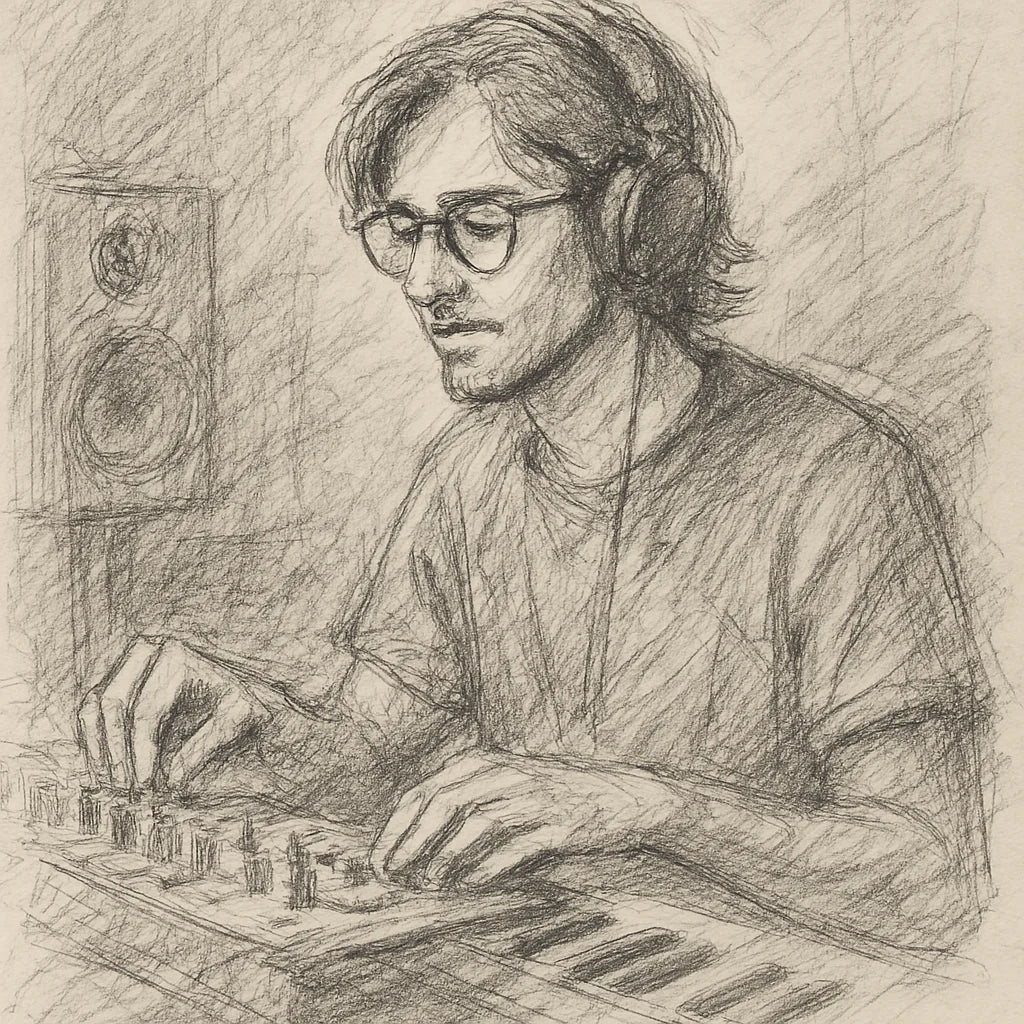
Founder's Story
"When COVID hit, I finally had time to dive into music production—only to discover I was missing the right tools. The plugins I tried were clunky, overloaded with unnecessary features, and killed my vibe with endless tweaking. I knew there had to be a better way.
So, with my engineering background, I started making free and simple audio plugins for my producer friends. They loved them! That’s when I set out on a mission to create plugins that save you time, streamline your workflow, and keep your creativity flowing."
- Ryan Svensson (Founder & CEO)
Every glitch you've heard. One insert, always in time.
Six glitch types from two knobs, on your DAW's grid, the same in every render, with HOLD for a glitch on cue, at zero latency.
$42.55 AUDRegular price $141.86 AUD70% off
- 90-day money back
- Five computers
- Lifetime updates
Pairs with



Snagglebit Glitch Effect
$42.55 AUDRegular price $141.86 AUD70% off