


SquigglerOscilloscope · see your kick and bass over a whole bar, locked to the beat
The only oscilloscope plugin you'll ever need to see your track over a whole bar, locked to the beat.
See your track over a whole bar, every window starting on the host's bar line, with a kick from its side input drawn under your bass and a POLARITY reading that says whether to flip it. Every sample is counted, so no peak is missed, and your audio passes through bit for bit with zero latency.
- Use it on 5 computers per copy
- Lifetime updates
- 90-day money-back guarantee
- Download link in minutes
- VST3, AU and AAX, Windows and macOS
- Try it free
Formats and DAWs
Windows 10 and 11 (64-bit): VST3 and AAX
macOS 11 or later: VST3, AU and AAX
Works in any 64-bit DAW that loads VST3, AU or AAX plug-ins.
Licence
Use it on up to five of your own computers per copy you buy. Yours for good, no subscription. Unlock it with your email and a six-digit code, no dongle and no password. It checks in now and then and works offline in between.
Delivery
Download links by email within about five minutes, and always in your account under Downloads.
Squiggler in action
Squiggler in under a minute, the real plugin reading real, synthesised signals: BAR sync on a beat, PITCH on a sine, WINDOW, a square wave, ZOOM, XY and FREEZE. The sound never changes, so this video is the preview.
Why Squiggler
Locked to the bar
Each window starts on the sample nearest the host's bar line, at any block size and even at tempos whose bars fall between samples. The same moment of the song always sits in the same place, so the groove's shape reads at a glance and a change in it stands out.
Kick and bass, with a verdict
Route the kick to Squiggler's side input and it is drawn in green under your bass. POLARITY reads SAME or OPPOSITE at the kick's biggest swing, so whether to flip the bass is read, not guessed.
Nothing skipped, nothing changed
Every sample is counted, so PEAK is the exact peak and CLIP marks every place a sample hit full scale. Your audio passes through bit for bit at every setting, with zero latency.

See the bar. Read the peak.
One bar of your track, starting on the host's bar line, and the readings under it: the exact PEAK, CLIP, DC, the stereo correlation and what the window follows.
- VST3 · AU · AAX
- Windows and macOS
- 0 latency
- 15 presets
The oscilloscope plugin
- Locked to the bar. 1/16 to 4 bars, every window within half a sample of its bar line, at any tempo and block size.
- Kick and bass, with a verdict. Route the kick to the side input: it is drawn in green under your bass, and POLARITY says SAME or OPPOSITE.
- Nothing skipped. Every sample counted, so PEAK is exact and CLIP marks every sample at full scale.
- Your sound, untouched. Bit-for-bit pass-through and zero latency, so it can stay on your master while you mix.
- WINDOW and ZOOM (0 to +24 dB); SYNC (BAR, TIME, PITCH) and VIEW (SCOPE, XY).
- The kick trace from the side input, FREEZE, and the readings: PEAK, CLIP, DC, CORR and POLARITY.
- IN and SC meters, and ENGAGE.
- 15 factory presets and your own preset files; A/B, undo and redo, MIDI Learn; a window from 75 to 200 %; the full manual.

KICK AND BASS · POLARITY
Kick under the bass. Flip it, or don't.
Route the kick to the side input: it is drawn in green under your bass, and POLARITY says SAME or OPPOSITE at the kick's biggest swing.
What Squiggler does
Every control has one job: see the low end you hear, locked to the beat.
WINDOW in BAR sync
One bar of the song, every time
1/16, 1/8, 1/4, 1/2, 1, 2 or 4 bars (1 bar by default), each window starting on the sample nearest its bar line, or its beat line below a bar. One bar shows a groove's whole outline; 1/4 bar is one kick and its bass. The line under the knob gives the length at your tempo, for example 2.00 S AT 120 BPM.
SYNC
Bars, milliseconds or the note
BAR locks the window to your host's bars and beats, and runs on at the last tempo when the host stops. TIME runs fixed windows in milliseconds. PITCH locks to the note so a synth's wave stands still, and falls back to TIME when there is no clear, steady note. Each mode keeps its own window.
WINDOW in TIME sync
A cycle, an attack, a tail
1 to 1000 ms, back to back. The default 30 ms, chosen by measurement, holds one to two whole cycles of a typical kick or bass. 10 ms shows one cycle of a 100 Hz bass or a drum's attack, 100 ms a kick's whole body and tail.
WINDOW in PITCH sync
A synth wave that stands still
1 to 8 cycles of the note (2 by default), every window starting at the same point of the cycle, within 1.5 samples in the tests. Hold a note and turn the synth's controls: watch a saw turn into a square, a filter round the corners, or drive square the tops.
ZOOM
See the quiet parts
0 to +24 dB of display height for fades, tails, noise floors, a small DC offset or a quiet track in XY. It changes only the picture, never the sound.
Kick under the bass
Flip the bass, or don't
Put Squiggler on the bass, route the kick to its side input and switch SIDECHAIN on: the kick is drawn in green under the bass. POLARITY reads SAME where the two add up, or OPPOSITE where they partly cancel and the low end loses weight. Flip the bass or nudge it a few milliseconds, and check again.
VIEW
The stereo picture
SCOPE is the waveform over time, positive up. XY draws the last 1024 samples as a stereo picture: a mono sound stands upright, a wide one opens into a cloud, one side out of phase lies across. The bar under it is the correlation.
The readings
Numbers, not guesses
PEAK is the highest sample on the display, exact. CLIP lights when a sample reached 0 dBFS, with a tick on the display's edge where. DC is the offset from centre over 1 s, CORR runs from +1 (mono) to -1 (out of phase), and a status line says what the window follows.
FREEZE
Hold the picture, study it
Holds the picture and every reading while your track plays on; press it again to let go. It is a view, not a setting: never saved, never an undo step, never automated.
ENGAGE
A bypass that never touches the sound
Your host's bypass. Off, the picture holds and the status reads BYPASSED: HOLDING. Your audio passes untouched either way: there is no mix and no gain control, on purpose.
15 sourced presets
Fifteen ways of looking
Init for one bar of any track, then Kick / Bar Overlay, One Beat and Phase Zoom, three Bus views from half a bar to four bars, three Synth cycle views, Time / 10 ms and 100 ms, two Stereo XY views and Detail / +12 dB. Each is a way of looking; none changes the sound.
A tube on the bench
See the level at a glance
The small cathode-ray tube above the display glows with your track's level and draws its own trace: a wave in SCOPE, an ellipse in XY. With ENGAGE off the tube goes dark; in silence the face rests.
Inside the plugin
The Squiggler window: one bar of your track on a night-time bench, the readings under it, and nothing that touches the sound.
Every feature
Everything in Squiggler, down to the smallest switch.
45 features
The display
-
WINDOW
1/16 to 4 bars, 1 to 1000 ms or 1 to 8 cycles, as SYNC chooses; each mode keeps its own
-
ZOOM
0 to +24 dB of display height, for fades, tails and quiet tracks; picture only
-
SYNC
BAR, TIME or PITCH: the song's bars, fixed milliseconds, or the note
-
VIEW
SCOPE, the waveform over time, or XY, the stereo picture
-
Bar and beat lines
And dashed 0 dBFS lines, with room above them for overs
-
A sweep that never blanks
The new window draws over the last, so the picture is always whole
The readings
-
PEAK
The highest sample on the display, in dBFS, exact to the sample
-
CLIP
Lit when a sample reached 0 dBFS, with a tick on the display's edge where
-
DC
How far your track sits off centre, in % of full scale, over 1 s
-
CORR
From +1 (mono) to -1 (one side out of phase)
-
What the window follows
1 BAR, 120.0 BPM; A2, 110.0 HZ, 2 CYCLES; TIME, 30 MS; FROZEN
Kick and bass
-
The kick under your bass
The side input drawn in green under your track
-
POLARITY
SAME or OPPOSITE at the kick's biggest swing: flip the bass, or don't
-
Three Kick presets
A whole bar, one beat, or the first cycles at +6 dB
Your sound, untouched
-
Bit for bit
At every setting, engaged or bypassed (tested over 97 settings)
-
Zero latency
0 samples and no tail: it can stay on the master while you mix
-
No mix, no gain, on purpose
Nothing on the face can change the audio
-
FREEZE
Hold the picture and the readings while the track plays on
Workflow and control
-
A/B compare and A>B
Two complete settings, switch in one click
-
Undo and redo
Step back and forward, or press Ctrl+Z
-
MIDI Learn
Take complete control of your workflow: right-click any control, move a knob
-
Host automation
Automate every control from your DAW
-
ENGAGE
The host bypass: the picture holds; the audio passes untouched either way
-
IN and SC meters
Your track's and the side input's levels at a glance
-
Tooltips
Every control explains itself as you point at it
-
Resizable window
75 to 200 %, and the size you pick is remembered
Presets
-
15 factory presets
Each one a way of looking, built from a documented setting; none changes the sound
-
Previous and next arrows
Audition presets one click at a time
-
Save your own
Keep your settings as .scopepreset preset files
-
Open presets folder
Back up or share your presets in one click
-
Reset to default
Back to a clean start in one step
Performance
-
Mono or stereo
On a bass, a kick, a bus or the whole mix
-
CPU, as measured
Window open in BAR sync: 1.21 to 1.37 % of one core, at 15 frames a second
-
TIME, PITCH and XY cost more
A whole new picture every frame: TIME about 2.8 to 3 %, XY about 5 %, PITCH about 6 % of one core
-
Window closed
The display costs nothing; processing is 0.15 to 0.19 % of one core, 0.44 % in PITCH sync
-
Any session rate
Tested at 44.1 and 48 kHz
-
A tube that follows the signal
Glows with your level and draws its own small trace
Licence and compatibility
-
VST3 and AAX, Windows 7 SP1 or later
Loads in any 64-bit Windows DAW with VST3 or AAX
-
VST3, AU and AAX, macOS 10.13 or later
Loads in any Mac DAW with VST3, AU or AAX, Intel or ARM
-
5 computers per copy
Studio, laptop and more on one licence
-
Email and code unlock
No dongle, no password, no extra app
-
Works offline
No internet needed between check-ins
-
Check for updates
From the plugin's menu; nothing installs without asking
-
Lifetime updates
Every future update included
-
Platinum priority support
Questions answered by the people who build it
How Squiggler compares
Windows on the bar line, the kick under your bass with a verdict, and your audio left exactly as it is.
| Squiggler | Typical oscilloscope plugins | |
|---|---|---|
| Bar sync | Every window on the host's bar line, within half a sample | Often loose, or no bar sync at all |
| Kick and bass | The kick from the side input under your bass, with a POLARITY verdict | Often one signal at a time |
| Peaks | Every sample counted: PEAK exact, CLIP marks where | Often a drawn line, not a reading |
| Synth waves | PITCH sync holds a note still, 1 to 8 cycles | Often a wave that drifts |
| Stereo | XY with a correlation bar, in the same window | Often a separate view to set up |
| Your audio | Bit for bit, zero latency, at every setting | Often unstated |
| Try-and-compare | A/B, A>B, undo and redo | Often missing |
| Hardware control | MIDI Learn on every control | Often host automation only |
| Licence | 5 computers per copy, no dongle, works offline | Often fewer activations, or a dongle |
| Updates | Lifetime updates included | Often paid upgrades |
"Typical" describes what we commonly see in this category; it does not describe any particular product. Squiggler facts are from the plugin and its manual, October 2026.
What you get
Vox Samples
90-day money back · Thank you
Specs and system requirements
- Formats
- VST3 and AAX on Windows; VST3, AU and AAX on macOS
- Operating system
- Windows 7 SP1 or later, 64-bit; macOS 10.13 or later, universal (Intel and ARM)
- Host
- Any 64-bit DAW that loads VST3, AU or AAX plug-ins. No standalone app.
- Channels
- Mono or stereo; a side input (off, mono or stereo) for the kick trace and POLARITY
- Sample rates
- Whatever your session runs at; tested at 44.1 and 48 kHz
- Latency
- 0 samples; tail 0
- Sound
- Passes through bit for bit at every setting, engaged or bypassed (tested over 97 settings and 8 pieces of real material). A broken sample (NaN or infinity) from before it leaves as silence
- Display
- SCOPE over 1/16 to 4 bars, 1 to 1000 ms or 1 to 8 cycles; XY of the last 1024 samples; ZOOM 0 to +24 dB; 2048 columns per window, every sample counted; 15 frames a second
- Readings
- PEAK (dBFS, exact), CLIP, DC (% of full scale over 1 s), CORR (+1 to -1), POLARITY (SAME or OPPOSITE) and what the window follows
- CPU
- Processing 0.15 to 0.19 % of one core, 0.44 % in PITCH sync (48 kHz). Window open in BAR sync with a mix playing: 1.21 to 1.37 % at 15 frames a second. TIME, PITCH and XY draw a whole new picture every frame: TIME about 2.8 to 3 %, XY about 5 %, PITCH about 6 % (those two measured at 30 frames a second). Window closed: the display costs nothing
- Presets
- 15 factory presets; your own as .scopepreset files
- Manual
- https://voxsamples.com/squiggler-oscilloscope-manual
- Window
- 960 x 600 at 100 %, resizable from 75 to 200 %
- MIDI
- MIDI Learn from any controller routed to the track
- Licence
- 5 computers per copy you buy. Unlock with your email and a code we email you. Checks in now and then and works offline in between.
- Internet
- Needed once to unlock, then for the occasional check-in
90Day money-back guarantee
Our guarantee
-
90-day money-back guarantee
Not for you? Email contact@voxsamples.com within 90 days for a full refund.
-
5 computers per copy
Use it on up to five of your own computers per copy you buy, and move it yourself from the plugin's Licence menu.
-
Lifetime updates
Every future update and upgrade of Squiggler, included.
-
Platinum priority support
A real person at contact@voxsamples.com, first in line.

Try Squiggler free
The whole plugin, with the same sound as the full version and no time limit. It goes silent for a moment every few seconds; the full version never does.
Windows and macOS installers in one download. Like what you hear? Get the full version on this page, with a 90-day money-back guarantee.
Questions
Does Squiggler change my sound?
No. The audio passes through bit for bit at every setting, engaged or bypassed, with zero latency (tested). The only exception is a broken sample (NaN or infinity) from something before it, which leaves as silence, and the display says so.
How do I compare my kick and bass?
Put Squiggler on the bass, route the kick to its side input (how depends on your host) and switch the side-input key on, or load Kick / Bar Overlay. The kick is drawn in green under the bass and POLARITY says SAME or OPPOSITE.
What does POLARITY OPPOSITE mean?
At the kick's biggest swing your bass moves the other way, so the two partly cancel. Flip the bass's polarity or move it a few milliseconds, and check again. "--" means no clear reading in the last two seconds.
Why does the display line up with my song?
In BAR sync each window starts on the host's bar line, from the host's song position, so 1 bar shows exactly one bar of the song. With the host stopped it keeps running at the same length.
Can it show a synth's waveform standing still?
Yes: SYNC PITCH locks to the note and shows 1 to 8 cycles. It falls back to the TIME window when there is no clear, steady note (drums, noise, wide vibrato).
Can I see stereo width and mono safety?
VIEW XY shows the stereo picture with a correlation bar; CORR under 0 means parts would cancel in mono.
What if my host has no side input?
Everything else works; the kick trace and POLARITY need your host's side input, and the display says so when nothing arrives.
Will it slow my session?
Processing costs 0.15 to 0.19 % of one core (0.44 % in PITCH sync), with zero latency. With the window open the display adds about 1.2 to 1.4 % of one core in BAR sync, and more in TIME (about 3 %), XY (about 5 %) and PITCH (about 6 %); closed, nothing.
Why is my whole mix silent?
Until Squiggler is activated on your computer it is silent, and on your master bus that silences the mix. Activate it with the code we email you before you rely on it there.
Does it work in my DAW?
Any 64-bit DAW that loads VST3, AU or AAX plug-ins, on Windows 7 SP1 or later or macOS 10.13 or later. There is no standalone app.
How many computers can I use it on?
Up to five of your own for each copy you buy. To move it, deactivate it in the plugin on the old computer and unlock it on the new one.
Does it need the internet?
Once, to unlock it with the code we email you. After that it checks in now and then and works offline in between.
Is there a manual?
Yes. The full manual explains every control, every preset and the menus, with tips. It opens from the help key (?) in the plugin's top bar, and lives at https://voxsamples.com/squiggler-oscilloscope-manual.
What if it's not for me?
Request a refund from your account within 90 days.
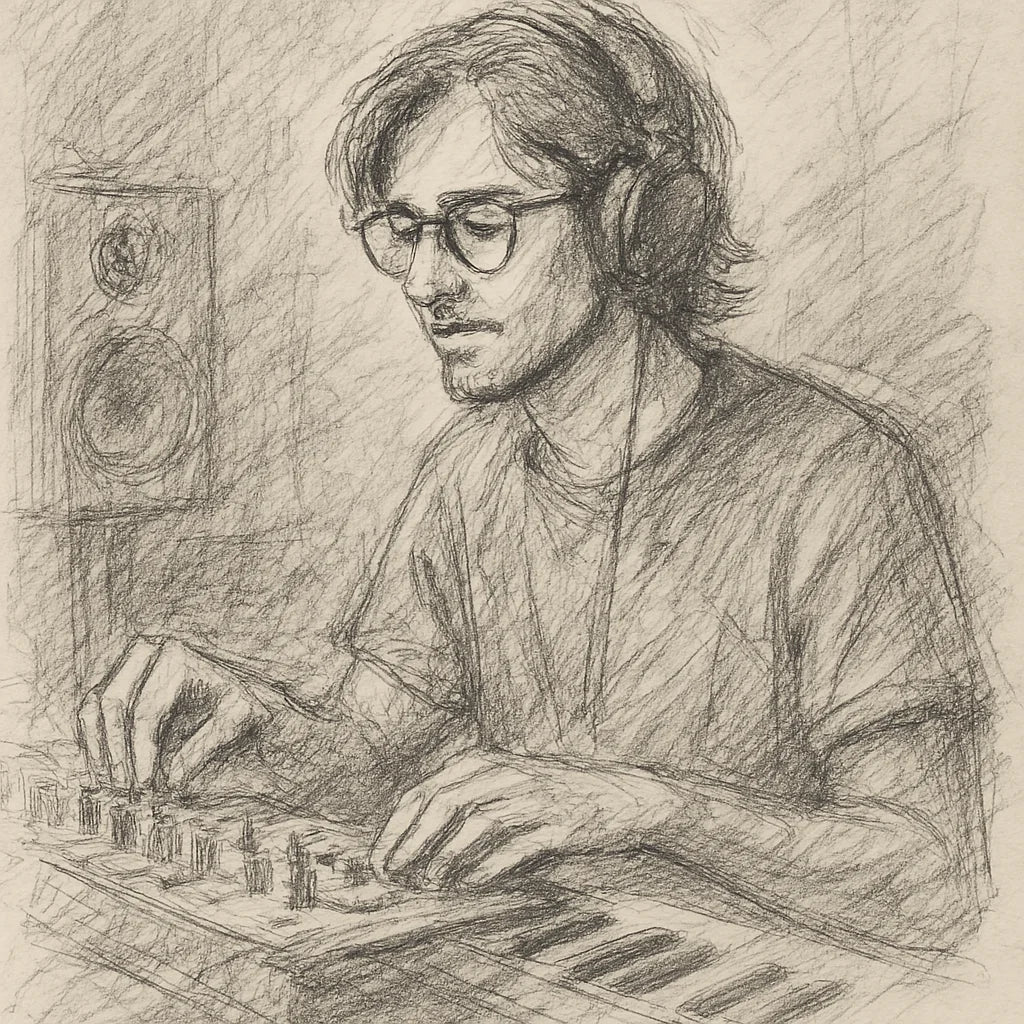
Founder's Story
"When COVID hit, I finally had time to dive into music production—only to discover I was missing the right tools. The plugins I tried were clunky, overloaded with unnecessary features, and killed my vibe with endless tweaking. I knew there had to be a better way.
So, with my engineering background, I started making free and simple audio plugins for my producer friends. They loved them! That’s when I set out on a mission to create plugins that save you time, streamline your workflow, and keep your creativity flowing."
- Ryan Svensson (Founder & CEO)
See your kick and bass. Locked to the beat.
One bar of your track at a time, starting on the bar line, the kick under your bass with a POLARITY verdict, every sample counted, and your sound passing through bit for bit with zero latency.
$42.85 AUDRegular price $142.88 AUD70% off
- 90-day money back
- Five computers
- Lifetime updates
Pairs with


Squiggler Oscilloscope
$42.85 AUDRegular price $142.88 AUD70% off